
Start Encounter
Edited
Setting up personal preferences within Nabla is the best way to optimize workflow and allow a more enhanced experience.
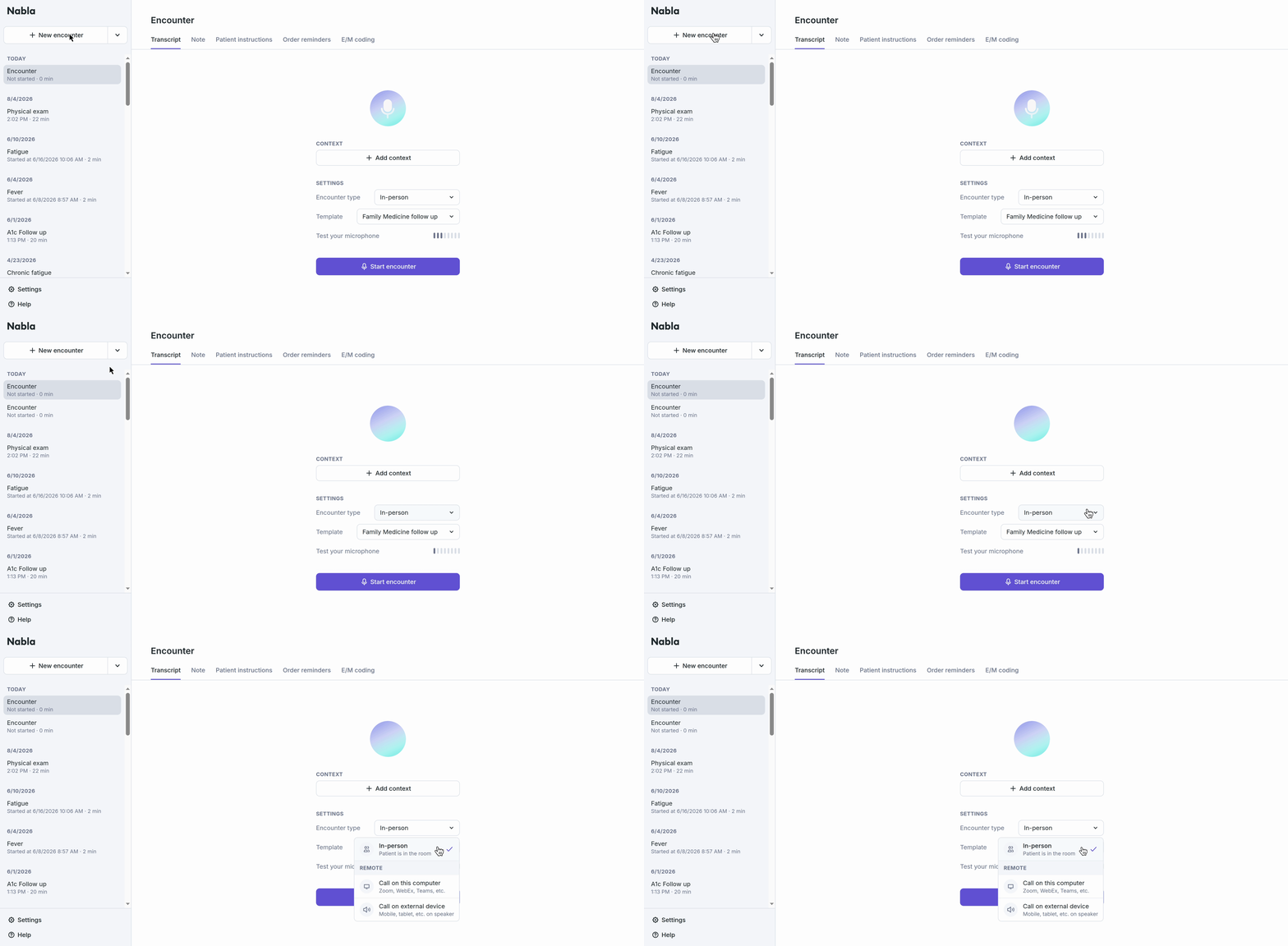
Clicking ‘+ New encounter’ on the left side bar will bring you to the ‘Start encounter’ screen.
Choose ‘Encounter type’ → in-person, call on this computer (Zoom/WebEx/Teams), call on external device (i.e. mobile/tablet)
Was this article helpful?
Sorry about that! Care to tell us more?