Offline Mode
Connectivity in clinic is not always reliable. Offline Mode makes sure a dropped connection never costs you an encounter.
Three things work together:
On-device audio backup - your recording is stored on your device as you go, so it is never lost.
Offline indicator and status flags - you always know when you are offline and which encounters are still pending.
Finish processing later- step away and complete transcription once you have a stable connection.
Tip: If your connection drops mid-visit, keep recording. Do not stop or restart the encounter - the audio is already being saved.
On-device audio backup:
Your audio is captured and stored locally, not just streamed.
Recording continues normally even with no connection.
Audio is retained on the device until it has been transcribed successfully.
Nothing needs to be re-recorded and the patient does not need to repeat themselves.
Offline indicator and status flags:
Clear signals so you are never guessing what happened.
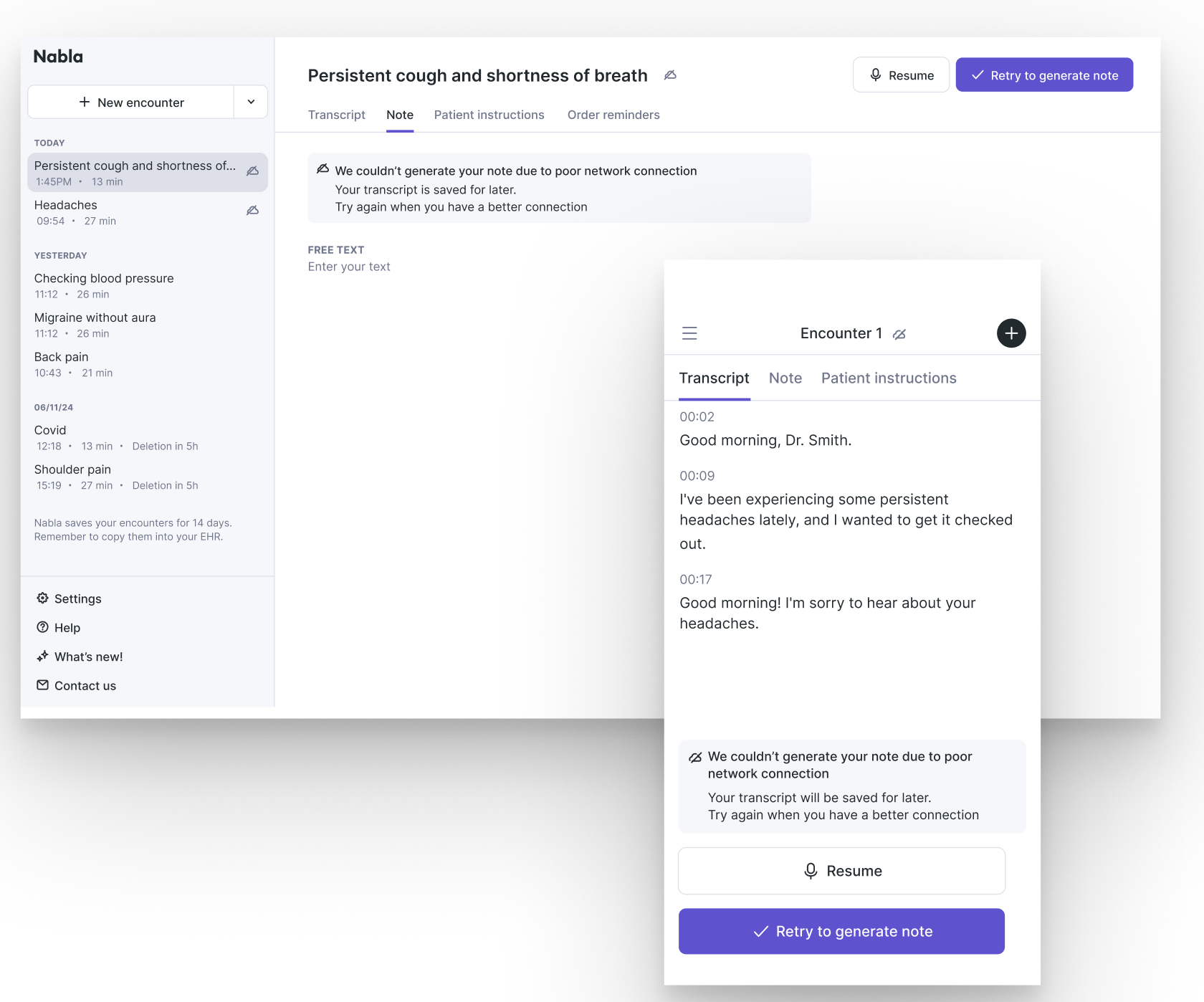
A real-time offline indicator appears the moment the connection drops, confirming you can continue the encounter.
Encounter-level status flags appear in both your encounter list and the encounter scree, showing audio is pending transcription.
Time-left indicators tell you roughly how long transcription still needs.
Finish processing later:
When transcription cannot complete right away.
If Nabla needs more time, you will see a screen with a “Finish processing later” option.
Choose this to leave the encounter and move onto your next patient.
Return to the encounter when you have stable connection to generate and finialize the note.
What to do when your connection drops:
Keep recording. Do not stop, close, or restart the encounter.
Look for the offline indicator to confirm audio is being stored on your device.
Finish the visit as usual and stop the recording when you are done.
If prompted, select “Finish processing later” rather than waiting on the screen.
Once you are back online, reopen the flagged encounter from your list and finalize the note.
Good to know:
An internet connection is still required to launch an encounter from your EHR. Current support covers connections that drop after the encounter has started.
Flagged encounters stay visible in your list until transcription completes. Always scan for them before you finish for the day.
Keep the app installed and signed in on the device that made the recording, this is where the audio lives.